
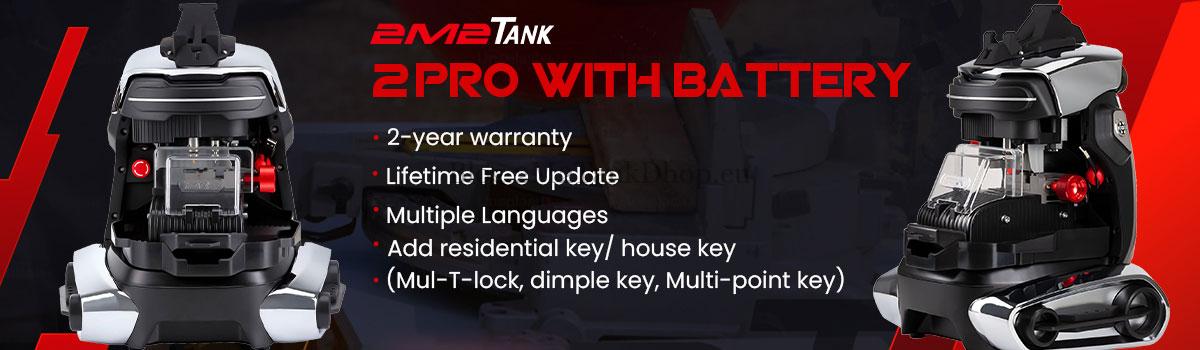

This quick guide explains how to install the cutter, probe, clamp, and keys for your 2M2Tank Key Cutting Machine system. Follow the simple steps for each part, and refer to the included pictures for visual help.
How to Install 2M2Tank Cutter & Probe?
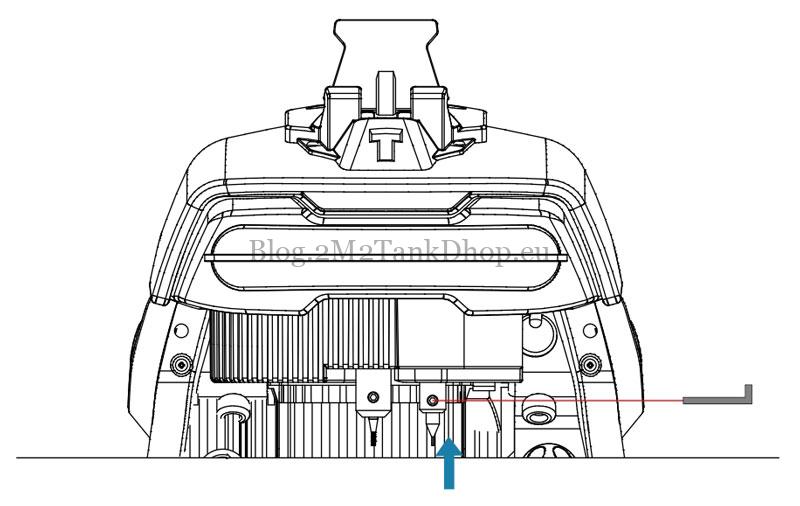
Insert 2M2Tank Milling Cutter and Guide Pin Probe onto the top depend on the arrow, and then use 2.5mm hexagon bar wrench to lock the screw.
*Notes: when pushing both cutter and probe onto the top,probe height is higher than cutter height.
How to Uninstall 2M2Tank Cutter & Probe?
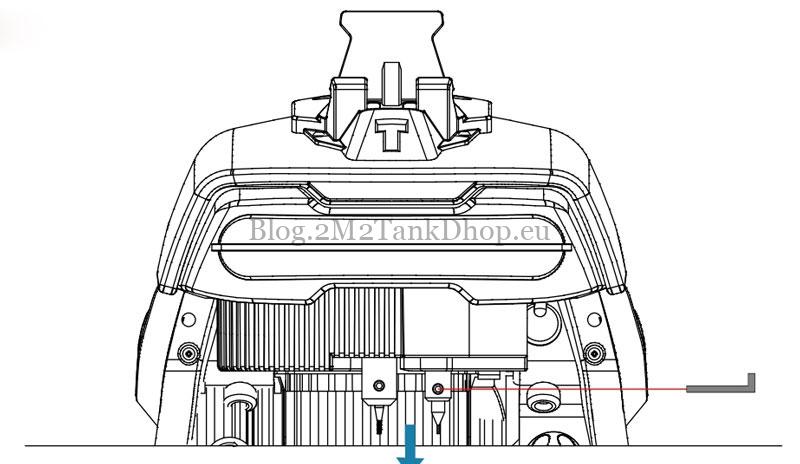
Use 2.5mm hexagon bar wrench to unscrew the locks for cutter and probe until they are loosened off.
How to install 2M2Tank Clamp?
Installation steps:
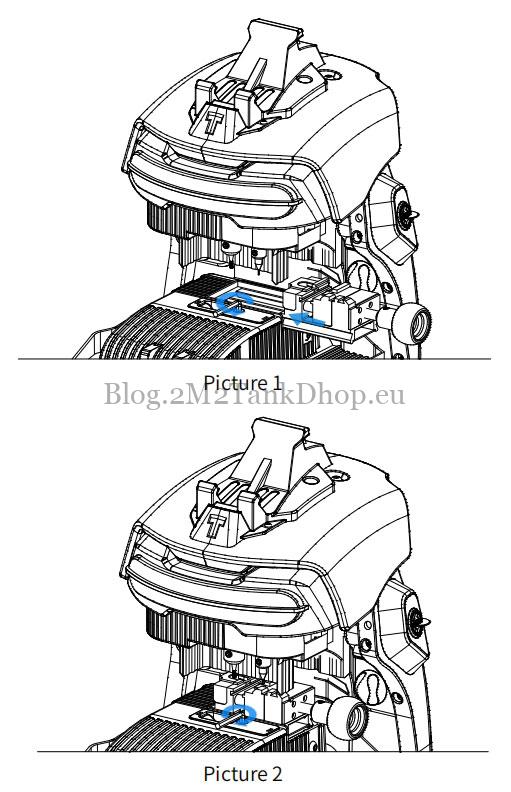
- Unscrew the lock for the 2M2Tank Clamp, insert the clamp along the rail depend on the arrow(picture 1).
- Use 4mm hexagon bar wrench to screw the lock(picture 2).
How to install key on 2M2Tank?
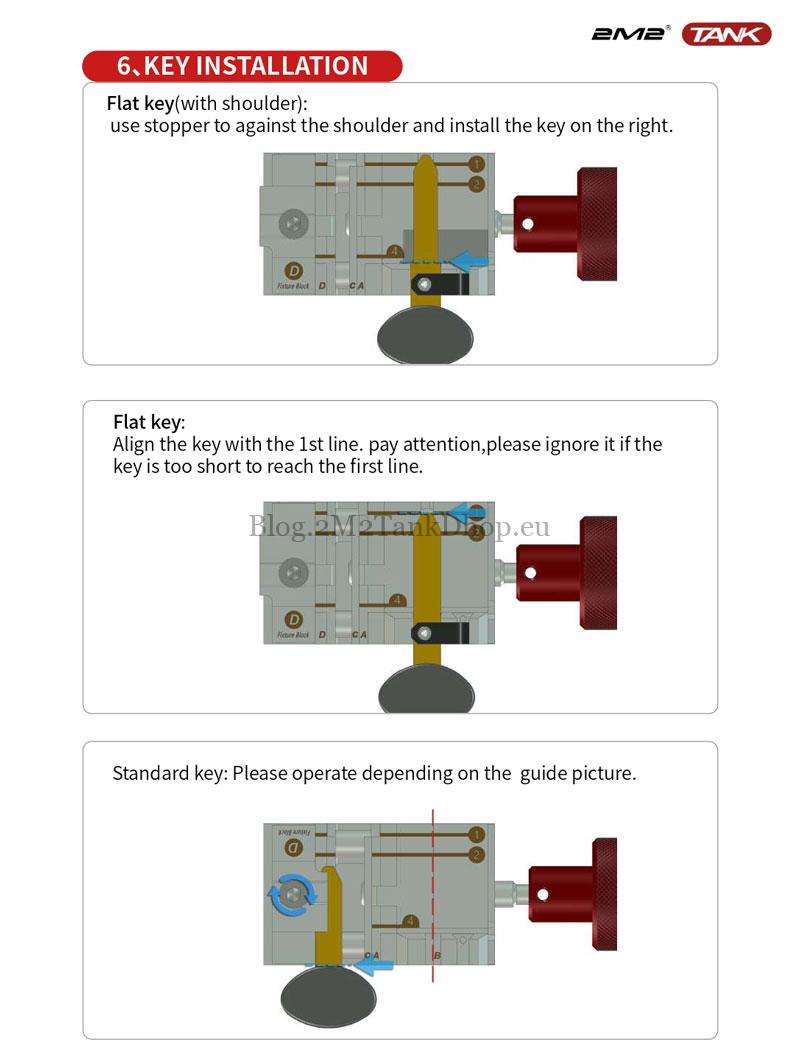
Flat key(with shoulder): Use stopper to against the shoulder and install the key on the right.
Flat key: Align the key with the 1st line. Pay attention,please ignore it if the key is too short to reach the first line.
Standard key: Please operate depending on the guide picture.
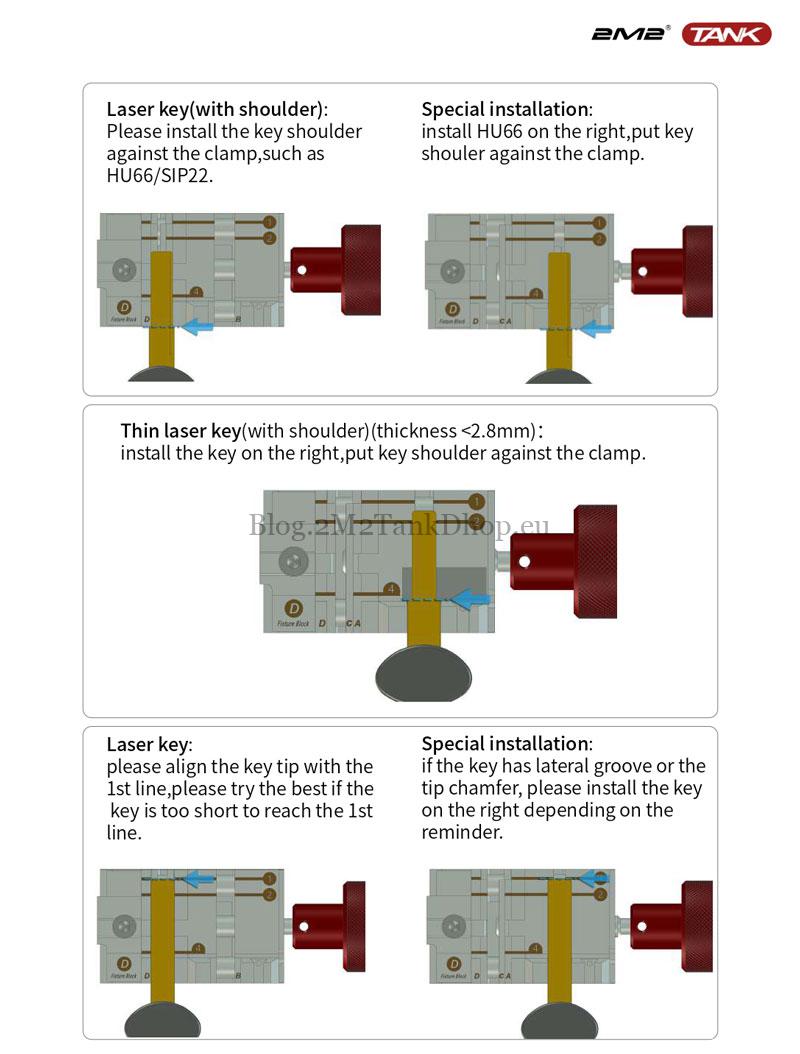
Laser key(with shoulder): Please install the key shoulder against the clamp, such as HU66/SIP22.
Special installation: Install HU66 on the right,put key shoulder against the clamp.
Thin laser key(with shoulder)(thickness<2.8mm): Install the key on the right, put key shoulder against the clamp.
Laser key: Please align the key tip with the 1st line, please try the best if the key is too short to reach the 1st line.
Special installation: If the key has lateral groove or the tip chamfer, please install the key on the right depending on the reminder.
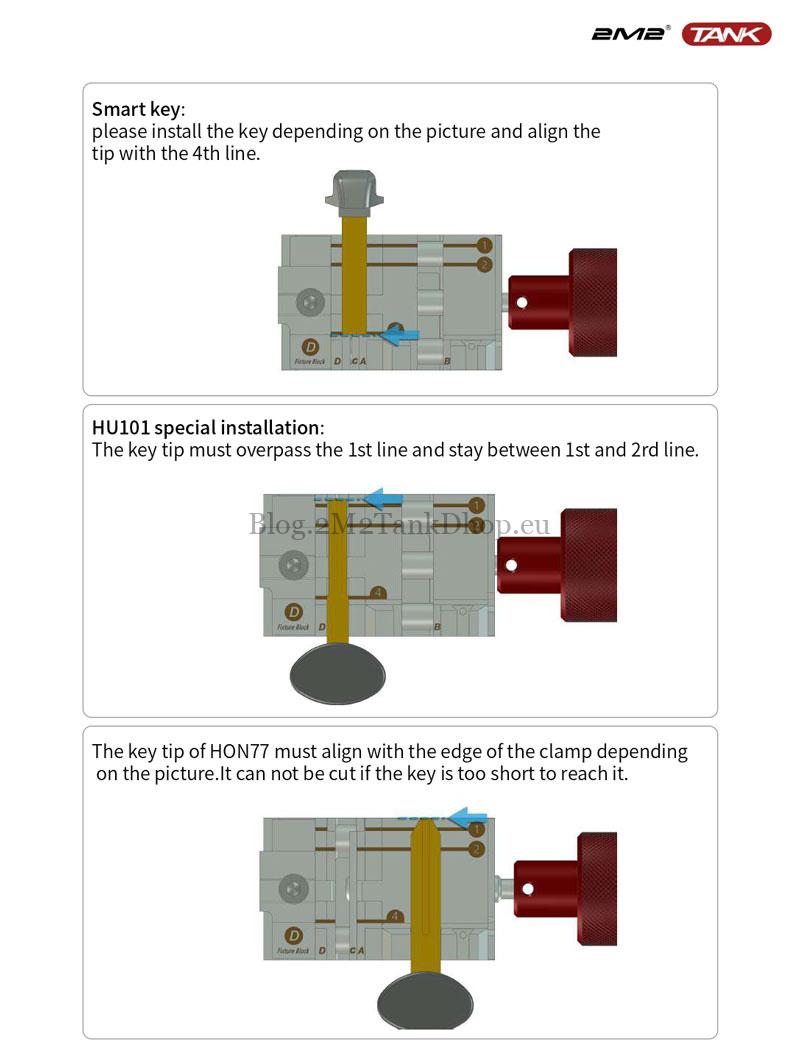
Smart key: Please install the key depending on the picture and align the tip with the 4th line.
HU101 special installation: The key tip must overpass the 1st line and stay between 1st and 2rd line.
The key tip of HON77 must align with the edge of the clamp depending on the picture. It can not be cut if the key is too short to reach it.
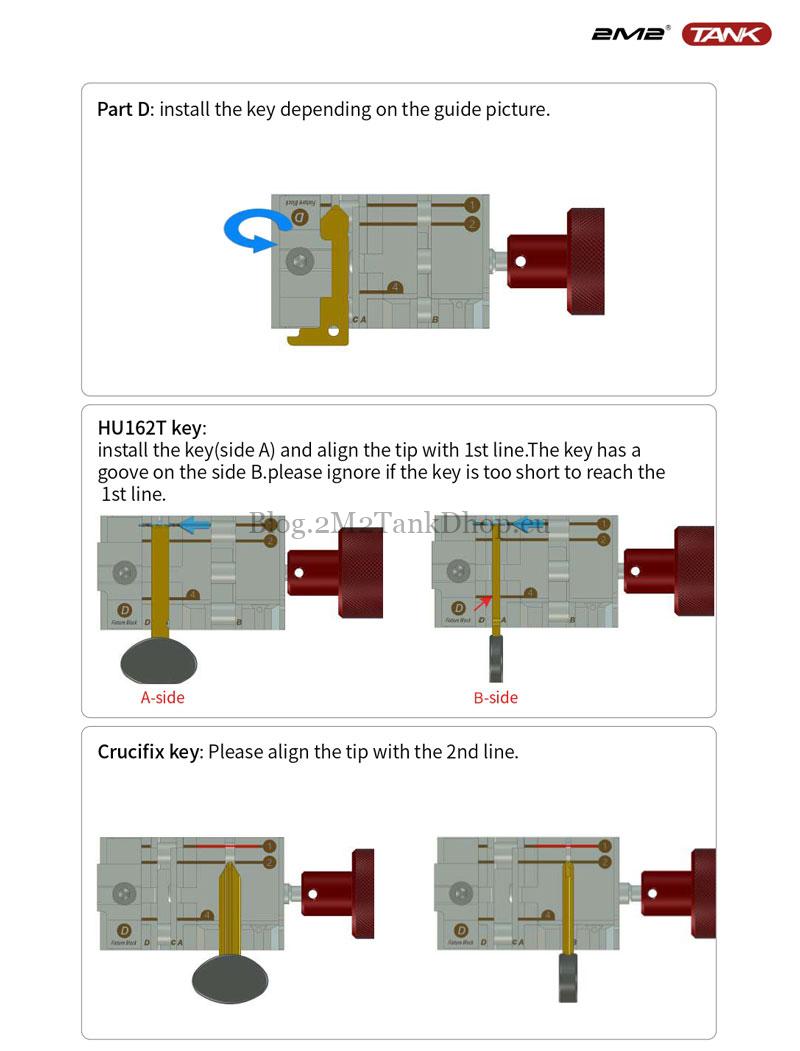
Part D: Install the key depending on the guide picture.
HU162T key: Install the key(side A) and align the tip with 1st line. The key has a groove on the side B. Please ignore if the key is too short to reach the 1st line.
Crucifix key: Please align the tip with the 2nd line.
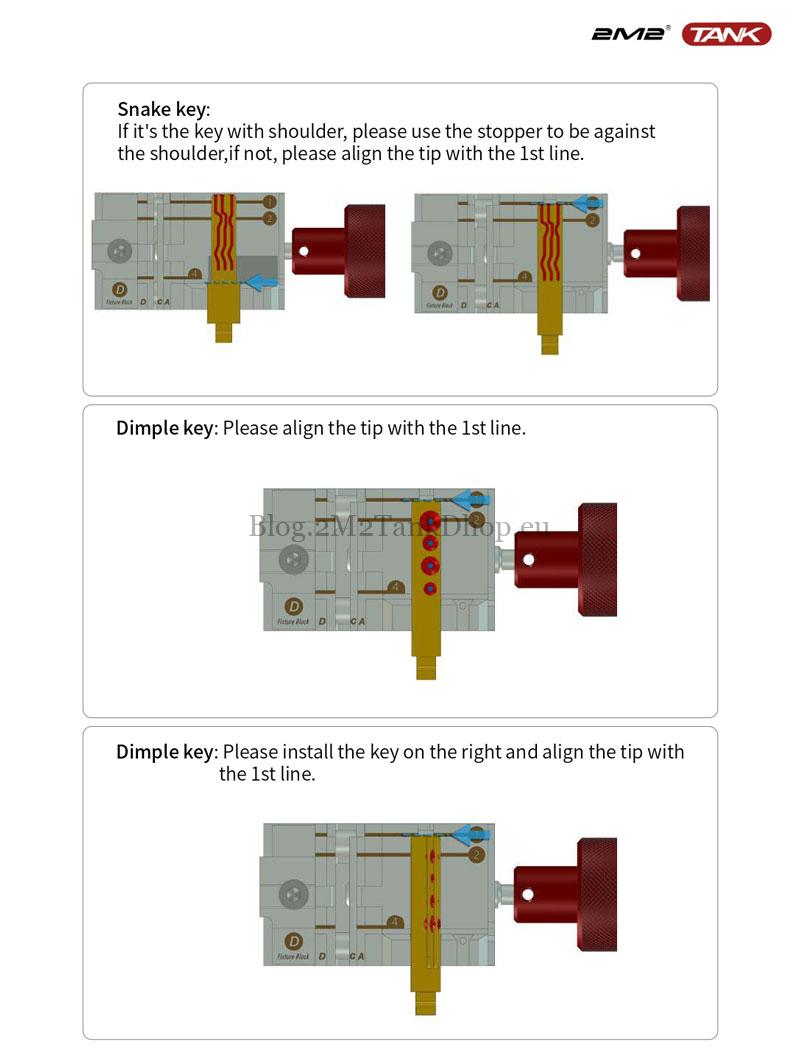
Snake key: If it’s the key with shoulder, please use the stopper to be against the shoulder. If not, please align the tip with the 1st line.
Dimple key:
- Please align the tip with the 1st line.
- Please install the key on the right and align the tip withthe 1st line.
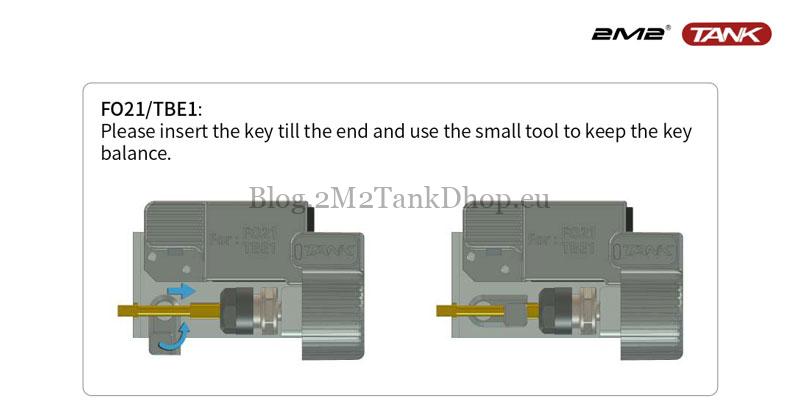
FO21/TBE1: Please insert the key till the end and use the small tool to keep the key balance.
Please install the key depending on the guide picture:
- The key has to align the tip with the 1st line.
- If the key is not long enough,it may not reach the 1st line, the machine can look for the tip automatically.
- If it’s the key with shoulder,it has to align the shoulder with the 4th line. Please use the stopper to locate the shoulder.
- But Hu66 & SIP22 has to use shoulder to be against the clamp(depending on guide picture).
- All flat key has to be installed on the right.
Special installation:
- HU101 has to overpass the 1st line,HON77 has to align with the edge of the clamp depending on the picture.
- If selecting key duplication,some of laser keys should be installed on the right(depending on guide picture), VA2 should be installed depending on guide picture.
- Some of smart keys should be installed on the other side and select ‘the 2nd side’ (depending on guide picture).
Technical Support
Email: Sales@2m2tankshop.eu
Phone: +86-15271813909
Whatsapp: +86-15271813909
This post has already been read 339 times!