
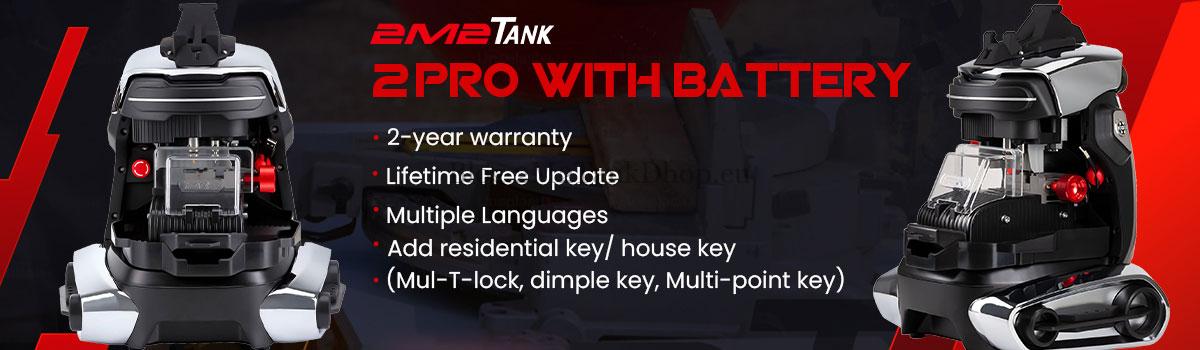

Welcome to the step-by-step calibration tutorial for your new 2M2 TANK 2 Pro CNC Key Cutting Machine. Proper calibration is essential for accuracy and performance. Follow this guide to perform height level adjustment, clamp calibration, and cutting calibration with ease.
How to Calibrate Height Level on 2M2 TANK II Pro CNC?
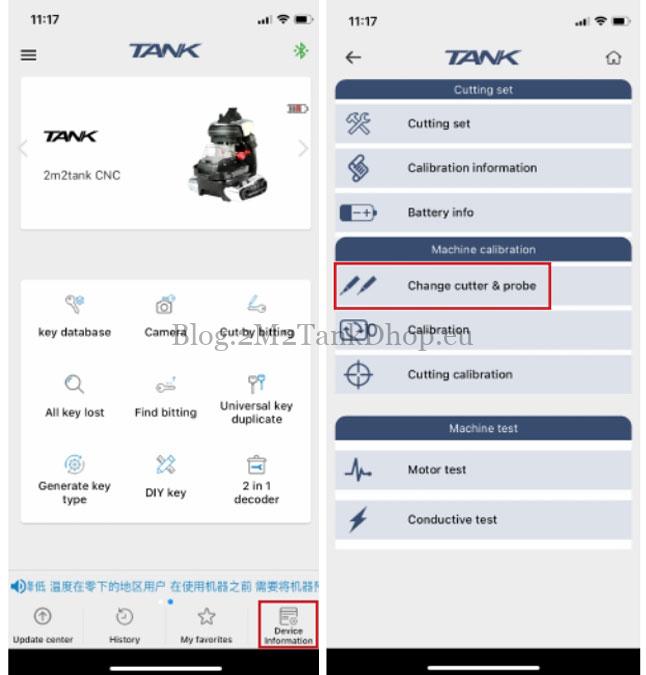
- Go to the main interface and select “Device Information”.
- Choose “Change cutter & probe”.
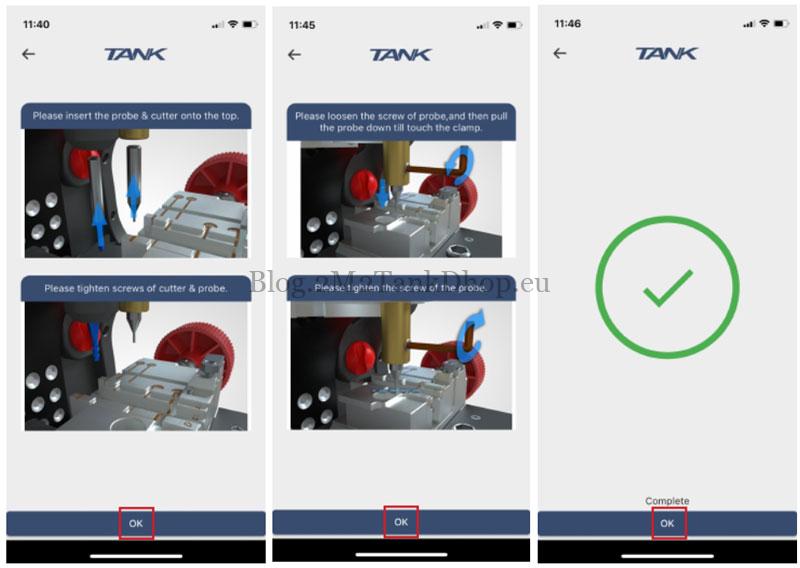
- Install the Cutter And Probe, then click “OK”.
- Carefully loosen the screw until it gently touches the clamp.
- Confirm by clicking “OK” to complete the height adjustment.
How to Perform Clamp Calibration on 2M2 TANK CNC?
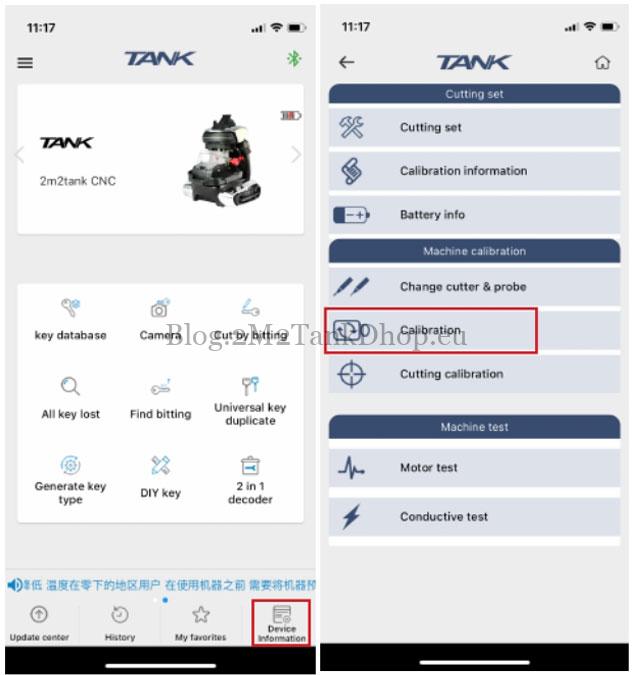
- From the main menu, enter “Device Information”.
- Click on “Calibration”.
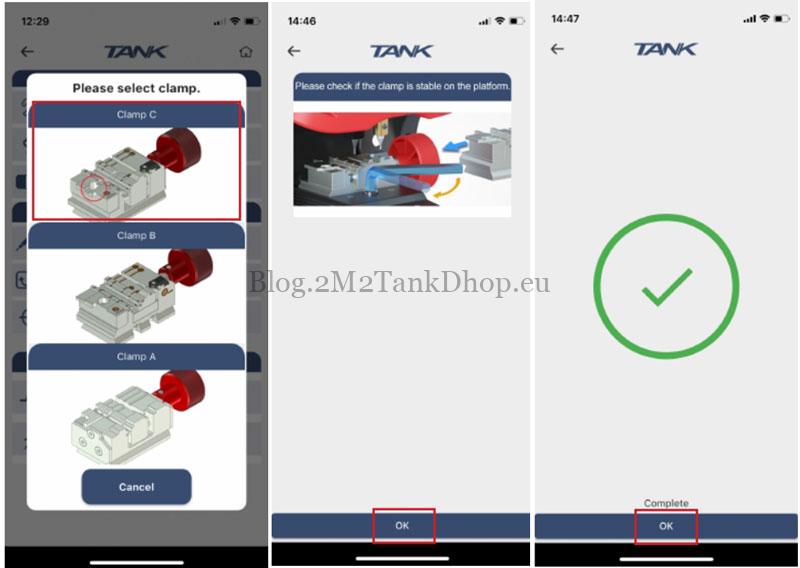
- Select the clamp type that matches your current setup.
- Ensure the clamps are secure and not loose.
- Press “OK” to finalize the clamp calibration.
How to Execute Cutting Calibration on 2M2 TANK 2 Pro?
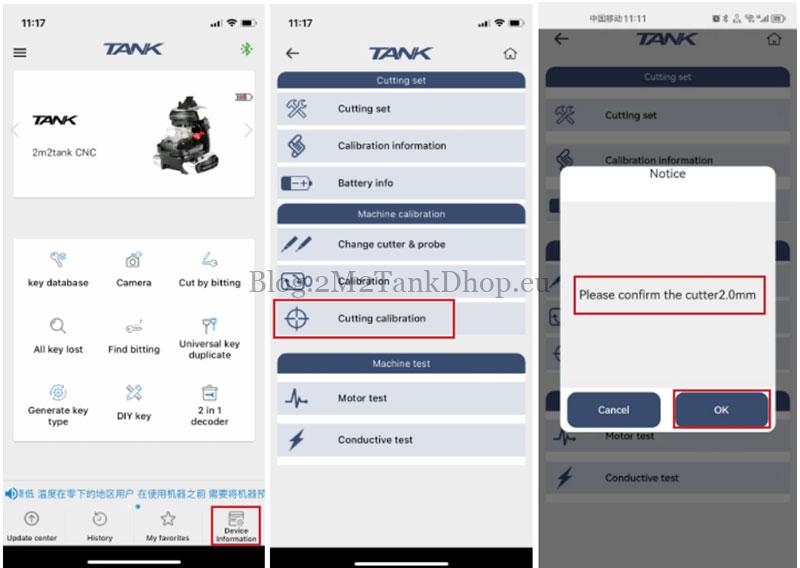
- Access “Device Information” from the main screen.
- Choose “Cutting calibration”.
- Verify that the Milling Cutter is set to 2.0mm and confirm with “OK”.
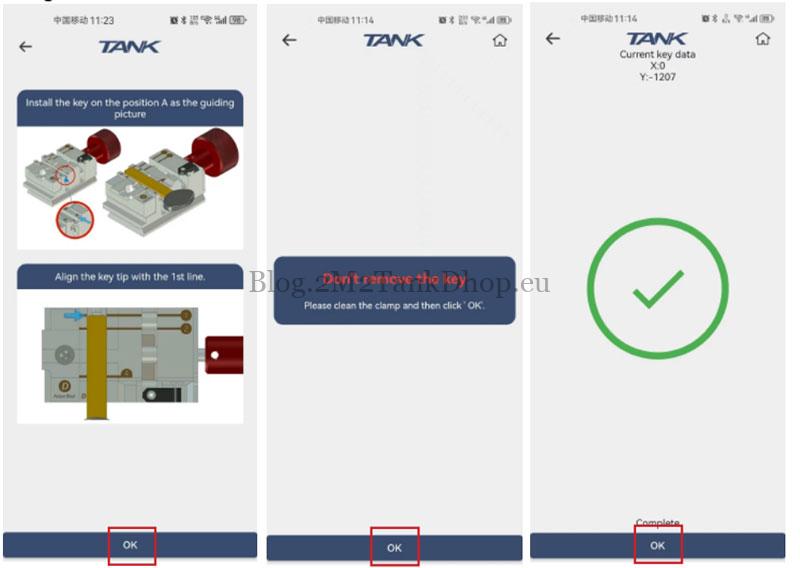
- Place a HON66 key blank (25#) on the left side, ensuring the tip aligns with the first line.
- Remove any debris and press “OK”. (Keep the key clamped in place.)
- Click “OK” again to complete the cutting calibration.
For more details, support, or to purchase the 2M2 TANK Pro Key Cutting Machine, visit: www.2m2tankshop.eu
Contact Information
Email: Sales@2m2tankshop.eu
Phone: +86-15271813909
Whatsapp: +86-15271813909
This post has already been read 606 times!